
 Atta 🐬
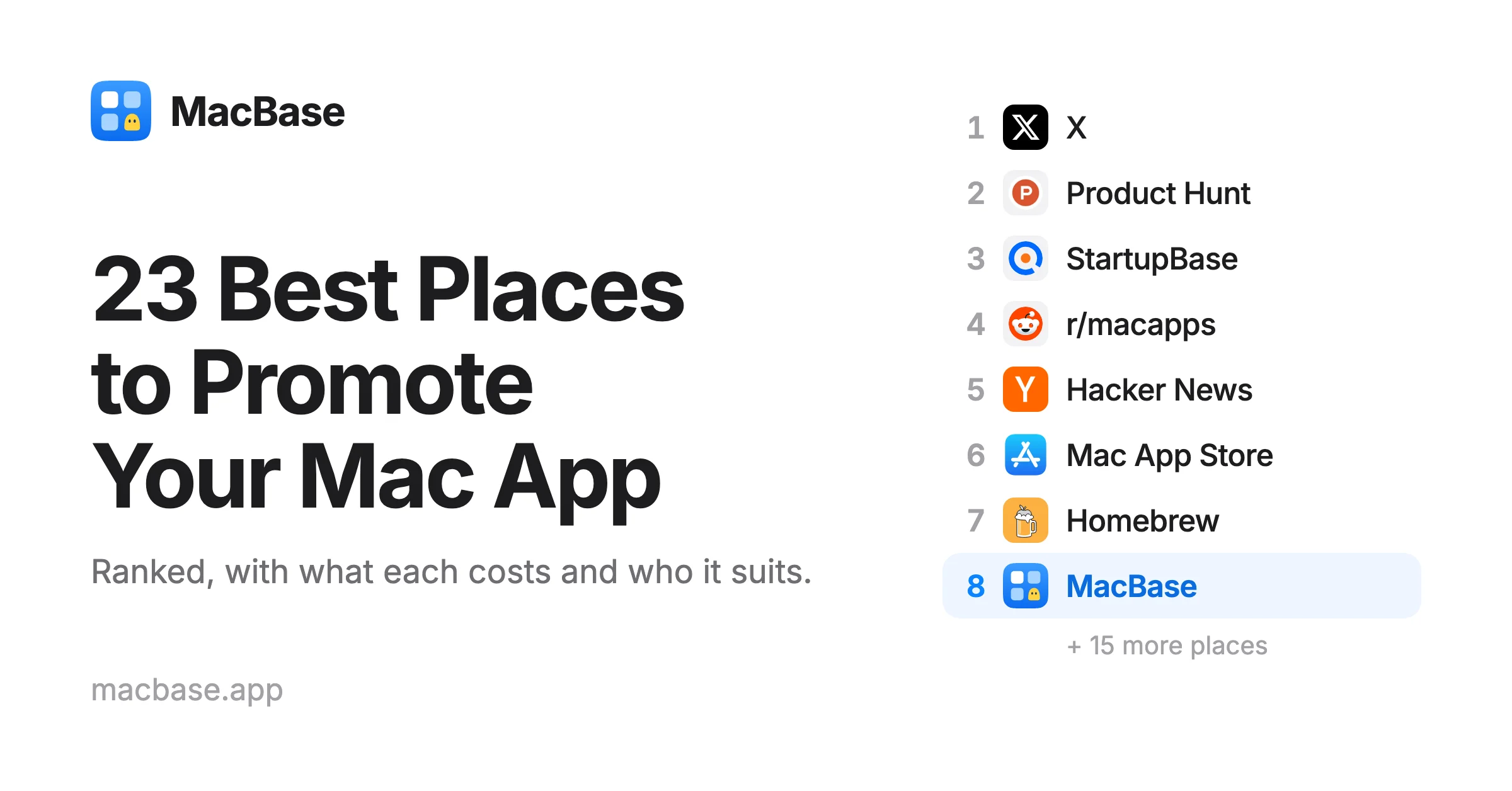
In this post
- Before you launch anywhere
- 1. X
- 2. Product Hunt
- 3. StartupBase
- 4. r/macapps
- 5. Hacker News
- 6. Mac App Store
- 7. Homebrew
- 8. MacBase
- 9. Mac press, in any language
- 10. AlternativeTo
- 11. Mac Menu Bar
- 12. MacUpdate
- 13. Setapp
- 14. Awesome lists on GitHub
- 15. Macfolio
- 16. Mac App Index
- 17. dotstore
- 18. Mac App Supply
- 19. TryMacApps
- 20. MacNative
- 21. Mac Menubar Apps
- 22. MacAIApps
- 23. PayOnceApps
- What I left out
- Start with a low price
- How to run the launch
Quick answer
The best places to promote a Mac app in 2026 are X, Product Hunt, StartupBase, r/macapps and Hacker News, followed by the Mac App Store, Homebrew and Mac-only directories like MacBase, MacUpdate, Mac Menu Bar and Mac App Supply. Most are free. Vitals sold almost its first 1,000 licenses on X in eight days, at a low launch price of $5. Launch in stages rather than all on one day, and keep sharing updates afterwards.
You've finished your Mac app. Now you need people to find it, and the Mac App Store won't do that for you. Most of the apps listed on MacBase aren't even in it.
Most launch advice doesn't help much either. It's written for web startups, so it hands you a long list of directories where nobody is looking for a Mac app.
This list is only about launching a Mac app. It ranks 23 places by what worked for me and by whether the people there want a Mac app, with what each one costs and the rules you need to know. I've launched three Mac apps since September: Flit, Vitals and Levers.
Vitals shows why the order isn't what you might expect. It sold its first 1,000 licenses in eight days, and almost all of them came from X, where it went viral. It also launched on Hacker News and on Product Hunt, where it was the fourth product of the day, which helped. But X is where the sales came from. That's one launch, and going viral isn't something you can plan, so here's the whole list.
| Place | Mac only | Domain Rating | Cost | Watch out for |
|---|---|---|---|---|
| 1. X | No | 97 | Free | Results vary a lot |
| 2. Product Hunt | No | 91 | Free | You can't ask for upvotes |
| 3. StartupBase | No | 75 | Free, or from $39 | Mine; 4–5 week wait when free |
| 4. r/macapps | Yes | 95 (reddit.com) | Free | Strict rules on who can post |
| 5. Hacker News | No | 91 | Free | People must be able to try it without signing up |
| 6. Mac App Store | Yes | 97 (apple.com) | $99 a year, plus Apple's cut | Your app must be sandboxed |
| 7. Homebrew | Mostly | 90 | Free | Popularity rules for the main list |
| 8. MacBase | Yes | 44 | Free | New, and it's mine |
| 9. Mac press, in any language | Mostly | 78 (MacStories) | Free | Nothing is guaranteed |
| 10. AlternativeTo | No | 82 | No fee mentioned | Reviewed before it goes live |
| 11. Mac Menu Bar | Yes | 36 | Not stated | Menu bar apps only |
| 12. MacUpdate | Yes | 78 | Check its form | Review can take a while |
| 13. Setapp | Yes | 80 | Revenue share | For mature apps only |
| 14. awesome lists on GitHub | Yes | 97 (github.com) | Free | Curated by their maintainers |
| 15. Macfolio | Mostly | 26 | Check its form | Curated, and small |
| 16. Mac App Index | Yes | 14 | Free | Small and new |
| 17. dotstore | No | 26 | Free | Over 100,000 apps, by its own count |
| 18. Mac App Supply | Yes | 26 | No fee mentioned | Design matters; native apps only |
| 19. TryMacApps | Yes | 64 | Free with its badge, or $39 | Badge must be on your site first |
| 20. MacNative | Yes | 48 | Free, or a paid Pro option | No browser wrappers |
| 21. Mac Menubar Apps | Yes | 20 | Check its form | Menu bar apps only |
| 22. MacAIApps | Yes | 6 | Free | AI apps only |
| 23. PayOnceApps | No | 19 | Check its form | One-time prices only |
Domain Rating is Ahrefs' score for a site's links, from 0 to 100, read on 2 November 2026. It tells you how strong a site is, not how much a link from it will help you, and it says nothing about whether its readers will buy your app.
Before you launch anywhere
Every place below sends people to the same page, so do these first:
- Notarize the app. People downloading from your site expect it, and Homebrew's cask rules require apps to pass Gatekeeper's checks.
- Offer a trial or a free version. Show HN asks for no sign-up barrier, and an app people can open today does better everywhere.
- Write one plain sentence that says what the app does. You'll paste it into every form on this list.
- Make a short video or a few real screenshots. People decide on a Mac app by looking at it.
- Set a low launch price. More on that below.
1. X
Almost all of Vitals' first 1,000 licenses were sold here, so it comes first even though it isn't a Mac site. You can't count on going viral, but a post costs nothing, and you don't need anyone's approval.
The launch isn't the end of it. If I were doing it again, I'd do what I've kept doing since: share every update as it ships. Each one gives people another reason to look.
2. Product Hunt
Product Hunt is free. It suggests launching at 12:01 am Pacific, and you can't directly ask people to upvote, only to visit and comment.
Vitals was the fourth product of the day, and I think it helped. Its audience is mostly founders and people curious about new products rather than people looking for a Mac app, so it works best if you bring some momentum of your own. I wrote more about that in Is Product Hunt still worth it?
3. StartupBase
This one is mine. StartupBase has published product launches since 2017, and it's the same kind of launch site as Product Hunt, so it's the natural next stop. It has a Domain Rating of 75, and your listing stays up after launch day.
A free launch keeps a permanent listing, needs its badge on your site and waits about 4–5 weeks. Premium starts at $39 and lets you pick a date, with a homepage feature and a permanent followed link.
4. r/macapps
r/macapps has about 260,000 members who are there to find and talk about Mac apps. No other place on this list fits as closely.
It's also the strictest. Developers who don't qualify for the main feed have to post in the monthly megathread, The App Pile. You can self-promote at most once in 30 days, counted from your last app post even if it was removed. You need 10 karma in the subreddit before promoting your app in comments, and you have to say the app is yours.
The rules change, so read the sidebar before you post. Spend a few weeks commenting first, since you'll need the karma anyway.
5. Hacker News
Show HN is for things people can run on their own computers, which suits a Mac app. I posted Vitals here too. You have to have built the app yourself and be around to answer questions. It should be easy to try, without sign-ups or email gates, and you can't ask friends to upvote or comment.
Apps with a clear technical angle tend to suit it, such as running on-device, working offline or being open source. Keep the title plain, and stay in the thread all day.
6. Mac App Store
The Mac App Store is where many people look first, and buying is one click with their Apple account. It's also the one place on this list that can feature you to everyone opening the store. None of my three apps are on it, so this is from Apple's rules rather than my own results.
It costs $99 a year for the Apple Developer Program. Apple takes 15% under its Small Business Program, for developers under $1 million in proceeds, and its standard 30% above that. Your app must also be sandboxed, which rules out some utilities that need deeper access to the Mac.
Nominate your app for featuring
If you're on the store, use Featuring Nominations in App Store Connect. It's Apple's own form for telling its editors about a launch, new content or a big update, and it's the step most people skip.
Apple asks for at least two weeks' notice and suggests up to three months for wider consideration, so do it before launch day. Apple has no checklist of requirements and doesn't promise anything, but the form takes little effort for what it could bring.
7. Homebrew
Homebrew isn't a launch site, but many developers install Mac apps with it, and one install command is easy to share. There are two ways in.
The main list. To get into homebrew-cask, your app has to pass Homebrew's cask rules. It must pass Gatekeeper, work on the latest major macOS, and be notable enough. For a project on GitHub, the numbers are 30 forks, 30 watchers or 75 stars, rising to 90 forks, 90 watchers or 225 stars if you submit it yourself. Repositories under 30 days old are normally refused.
Your own tap. Until then, you can run your own tap, with no one to approve it. That's how Vitals installs:
brew install --cask foredotstudio/tap/vitals
8. MacBase
Also mine, so judge it accordingly. MacBase lists only Mac apps, and every listing shows the price, the oldest macOS it runs on, Apple silicon support and whether it's notarized.
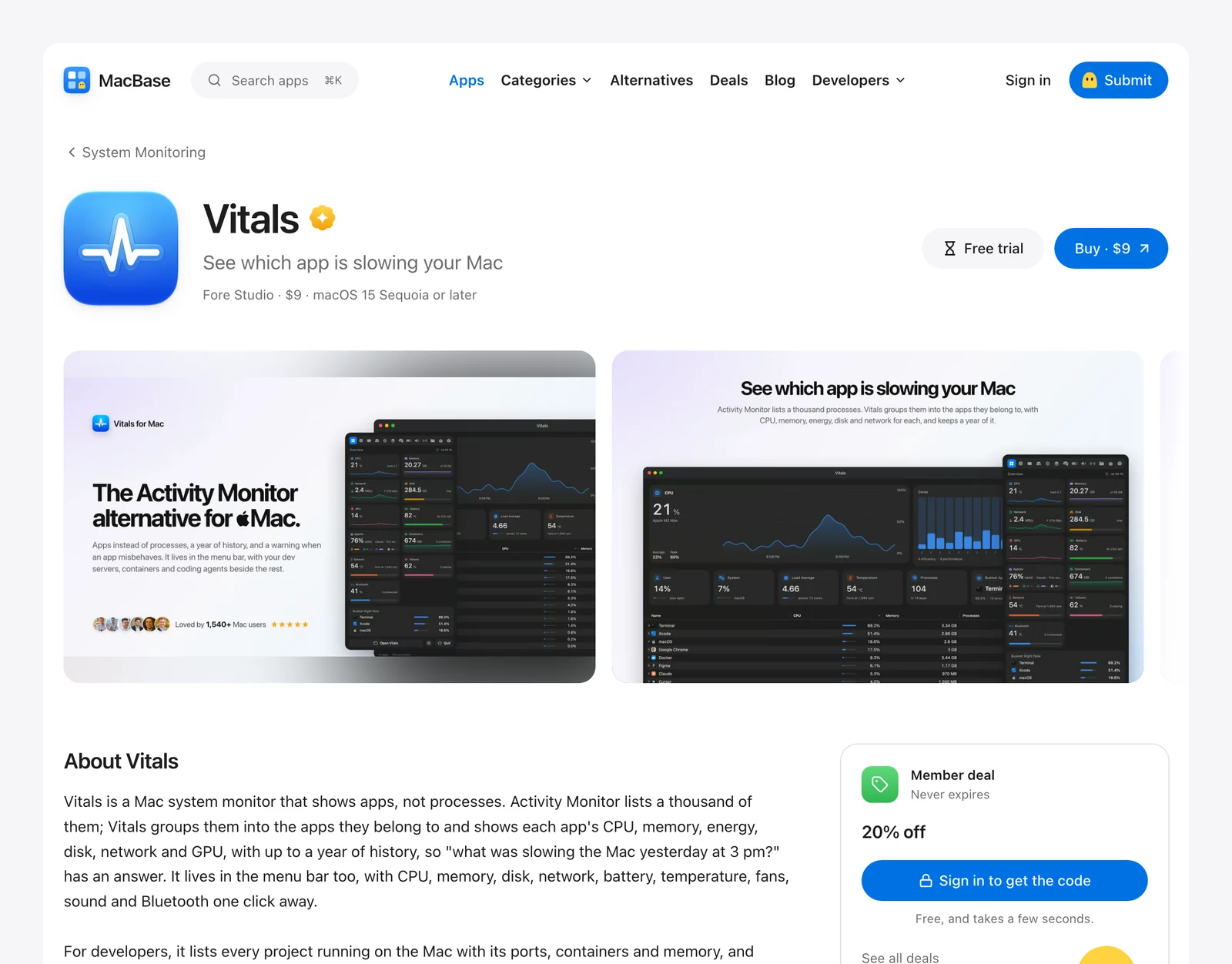
Listing is free. Paste a Mac App Store link, a website or a GitHub repository and it fills in a draft, or have your coding agent do it through your MCP link. Put the badge on your site and you get a check mark and a followed link.
Your listing stays up, and it also appears on the alternatives pages of the well-known apps yours replaces, which is where people arrive ready to switch.
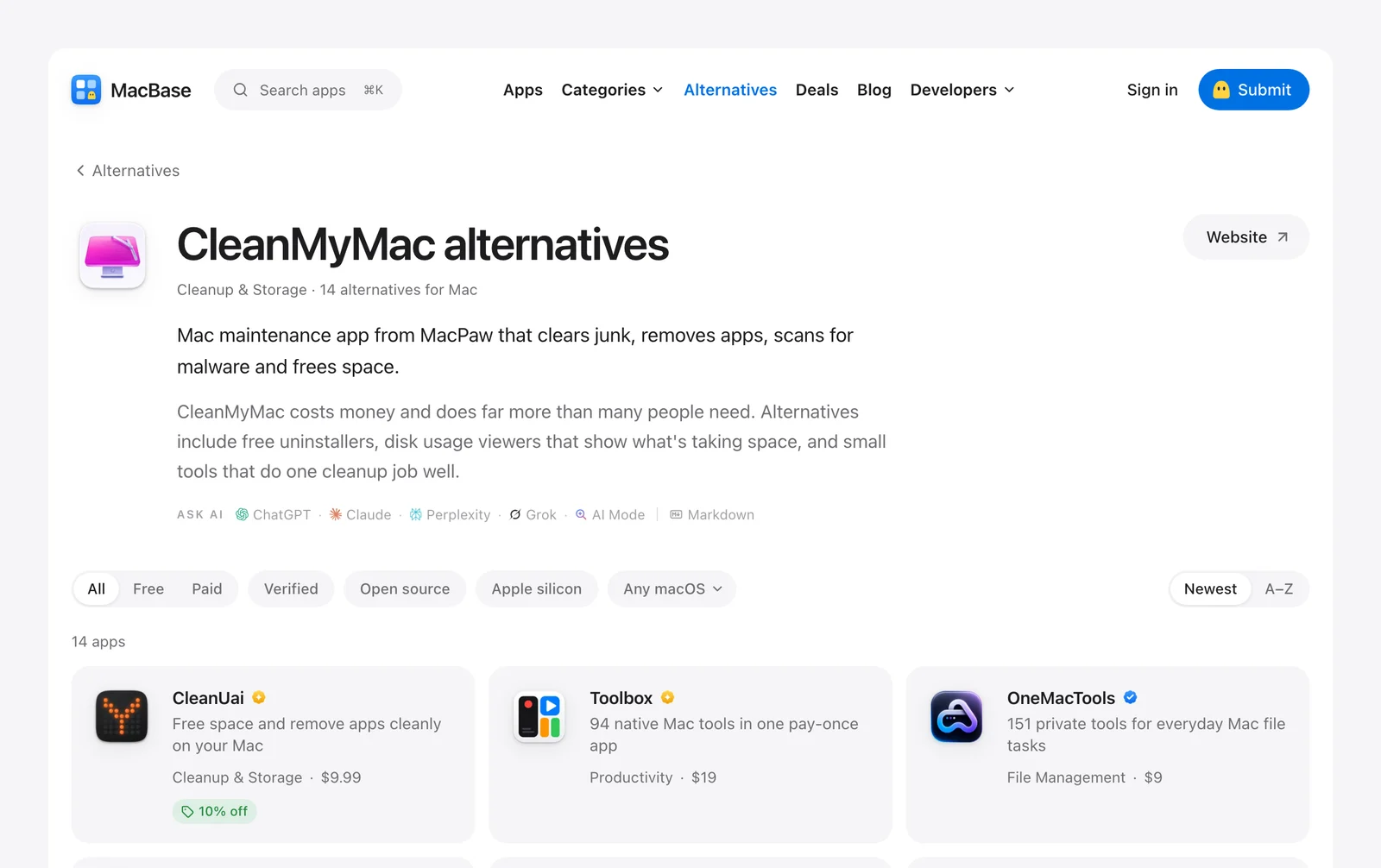
It's new, with a Domain Rating of 44, so I can't promise much traffic yet. It's quick to do, which is why it's this high.
9. Mac press, in any language
Vitals was featured by a Chinese magazine and a Brazilian one, not the English sites you'd pitch first. Vitals is available in both languages, so if your app is translated, look beyond the US press.
English sites like MacStories are still worth a try, since a mention there reaches people who care about good Mac software. Nothing is guaranteed, and writers get many pitches.
Keep your email short: what the app does in one sentence, why it's different, a link, and a free license so they can try it. Write to one person who covers your kind of app, and send it before launch so they have time to look.
10. AlternativeTo
AlternativeTo is where people go when they want to replace an app. Developers can add their own: sign up, choose Suggest new application from the account menu, and fill in the details. It's checked before it goes live. I submitted Vitals, and it's live.
List the well-known apps yours replaces, since that's what puts you in front of people.
11. Mac Menu Bar
Mac Menu Bar is a hand-reviewed directory of about 1,500 menu bar apps, sorted into collections like window managers and clipboard managers. Vitals is live there. If your app lives in the menu bar, it's one of the closest fits on this list. If it doesn't, skip it.
The form asks for at least three screenshots showing the app in the real menu bar, not mockups, so take those first. Search the site before you submit, in case it's already listed.
12. MacUpdate
MacUpdate has listed Mac software for a long time and is still updated daily. It's a strong site with a Domain Rating of 78, and it covers nothing but Mac apps. Add your app with its form, and keep the version current. Vitals' submission is still pending as I write this, so don't leave it until launch day.
13. Setapp
Setapp is a subscription bundle of Mac apps, so it's a sales channel more than a launch. It asks for mature apps with an excellent reputation and stable performance, and it favors apps that fill a gap in a category, so apply once yours has a track record.
For apps sold singly, Setapp takes 15% of subscriptions and 25% of one-time sales. In the membership, revenue is shared by usage, with Setapp taking 10% and up to 20% going to partners who bring in users.
14. Awesome lists on GitHub
awesome-mac is a curated list of macOS software with about 117,000 stars. If your app is open source, open-source-mac-os-apps has about 51,000 more. Developers browse these, and lists like them get copied around the web. Read the contributing notes first, then open a pull request adding your app in the right section.
15. Macfolio
Macfolio is a small curated site for Mac apps, gear and setups, with some iPhone and iPad apps too. It has a Submit link in its menu. It's worth a few minutes if your app looks good, since the site is built around design.
16. Mac App Index
Mac App Index is a newer directory of about 240 hand-picked Mac apps, ranked by upvotes. Free listings go live after a quick review. It's small, so treat it as one more place to be found.
17. dotstore
dotstore is a store for web apps, AI agents, and Mac and Windows apps. Its home page says it has over 100,000 apps, and it's free for makers. With that many apps of every kind, yours can get lost, so don't expect much from it.
18. Mac App Supply
Mac App Supply is one of the best-looking directories on this list: a curated shelf of well-designed macOS apps, each reviewed by hand. It suits an app you're proud of the look of. Its guidelines ask for a native macOS app with clean branding, a sharp icon, quality screenshots and a polished experience, and it rejects web-only and iPhone-only tools. Get those right before you submit.
19. TryMacApps
TryMacApps lists about 230 Mac apps shared by their makers, and at a Domain Rating of 64 it's the strongest of the newer directories. Submitting is free if you put its badge on your landing page, which gets you a permanent listing and a backlink. Editor's Choice costs $39 for top placement for a week.
20. MacNative
MacNative is a curated directory of about 230 native Mac apps, and it's strict about the word. The app must be native or compiled to a native binary, with no browser wrappers, and it needs thoughtful macOS design and active maintenance. Each app is tested by hand, so review can take a while, though a paid Pro option is reviewed first. Every listing gets a followed link to your site.
21. Mac Menubar Apps
Mac Menubar Apps is a second directory for menu bar apps, separate from Mac Menu Bar at number 11, with several hundred listed and a Submit link in its menu. If your app lives in the menu bar, list it on both.
22. MacAIApps
MacAIApps is a directory of about 640 Mac apps that use AI, from dictation to coding. Listings are free and reviewed by hand. If your app doesn't use AI, skip it.
23. PayOnceApps
PayOnceApps lists web, Windows and Mac apps you buy once, for people tired of subscriptions. It isn't only for Mac apps, but if yours is a one-time purchase, this is the audience looking for it.
What I left out
General launch sites like Uneed and BetaList take every kind of product. They aren't bad, but few people there are looking for a Mac app, so I'd do everything above first.
Start with a low price
Where you launch matters less if the price makes people hesitate. Vitals started at $5, and the price rose in steps as licenses sold. The first 1,000 went at $5 in eight days, and the next 100 were $9.
I think that was a good decision. It got the app onto a lot of Macs early, and it brought quality feedback when I could still act on it. The site showed how many licenses were left at each price, counted from real sales rather than a timer.
How to run the launch
Don't do all 23 on one day. You won't be able to answer everyone, and you'd learn nothing about what worked.
- Two weeks or more before: if you're on the Mac App Store, send Apple your featuring nomination.
- The week before: list on the directories that take time to review, like MacBase, AlternativeTo, MacUpdate, Mac Menu Bar, Mac App Supply and MacNative. Send your press emails.
- Launch day: post on X, pick one big place, Product Hunt or Show HN, and stay with it all day.
- The week after: launch on StartupBase, and post in r/macapps with what you changed from that first feedback, which gives people more to talk about.
- The months after: keep shipping, and share every update on X. Apply to Setapp and the main Homebrew list once you qualify.
Add a ?ref= to your links where you can, so you can see which places sent people who actually bought.
If you've made a Mac app, you can start now: list it on MacBase. It's free.
Written by
I build cool Mac apps. Founder, MacBase.