 Atta 🐬
In this post
- What macOS does on its own
- 1. Vitals: see what’s slowing your Mac
- 2. ClearBar: hide menu bar icons
- 3. Levers: Mac settings in one click
- 4. Tucket: clipboard history
- 5. MacMetra: CPU, memory and heat at a glance
- 6. Halo: a Dynamic Island for your Mac
- 7. Cupola: calendar and reminders in the notch
- 8. SoundRange: volume for each app
- 9. TopStart: run Shortcuts from the menu bar
- 10. Devly: developer tools
- 11. AgentKnocks: know when a coding agent needs you
- 12. Pulse: stocks and your portfolio
- 13. RadioStation: live radio
- 14. Don’t Touch: an alarm for your laptop
- 15. Dormouse: find out why your MacBook woke at night
- How to keep your menu bar tidy
- Frequently asked questions
Quick answer
The best menu bar apps for Mac in 2026 are Vitals for seeing what's slowing your Mac, ClearBar for hiding icons, Levers for Mac settings in one click, Tucket for clipboard history, MacMetra for quick system stats, Halo and Cupola for the notch and SoundRange for per-app volume. For developers, Devly and AgentKnocks. Most cost under $10 and you pay once. macOS 26 Tahoe can hide app icons on its own in System Settings > Menu Bar, but it can't put them behind a click the way a menu bar manager does.
The menu bar is the best spot on a Mac for a small app: it's always there, one click away, and it doesn't need a window or a place in the Dock. It's also where Macs get crowded, especially MacBooks with a notch.
There are 96 menu bar and notch apps on MacBase, and more each week. I picked 15 of them, one for each job people put in the menu bar, and where a pick can replace a well-known app, I've said which.
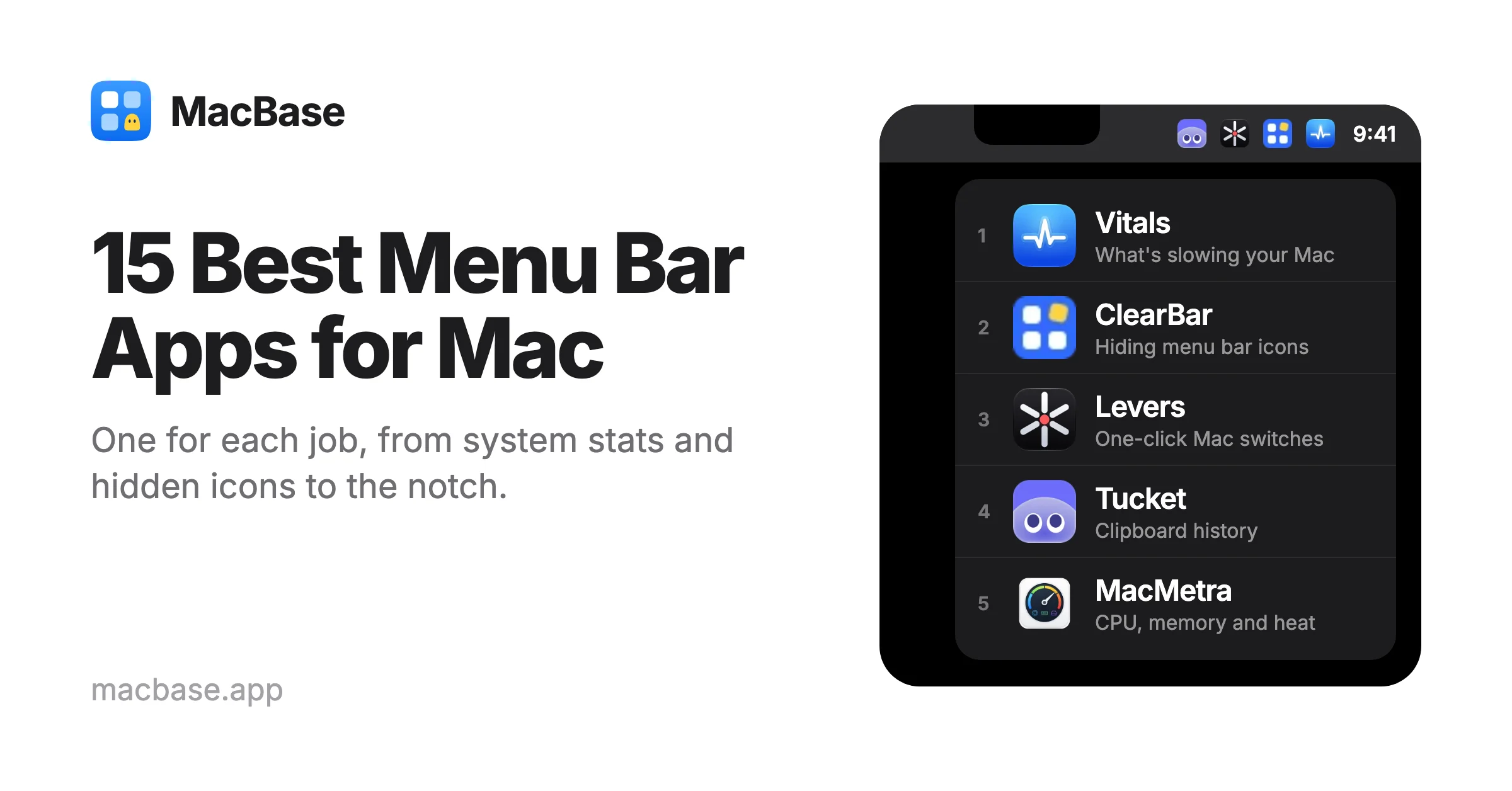
| # | App | What it's for | Price | Needs |
|---|---|---|---|---|
| 1 | Vitals | Seeing what's slowing your Mac | $9 | macOS 15 |
| 2 | ClearBar | Hiding menu bar icons | $7 | macOS 26 |
| 3 | Levers | Mac settings in one click | $9 | macOS 15 |
| 4 | Tucket | Clipboard history | $10 | macOS 14 |
| 5 | MacMetra | CPU, memory and heat at a glance | $2.99 | macOS 14 |
| 6 | Halo | A Dynamic Island in the notch | $9.99 | macOS 15 |
| 7 | Cupola | Calendar and reminders in the notch | $20 | macOS 15 |
| 8 | SoundRange | Volume for each app | Free, Pro extra | macOS 15 |
| 9 | TopStart | Running Shortcuts | $4.99 | macOS 14 |
| 10 | Devly | Developer tools | $4.99 | macOS 13 |
| 11 | AgentKnocks | Knowing when a coding agent needs you | Free, Pro extra | macOS 14 |
| 12 | Pulse | Stocks and your portfolio | $19.99 | macOS 14 |
| 13 | RadioStation | Live radio | Free | macOS 15 |
| 14 | Don't Touch | An alarm for your laptop | $5 | macOS 13 |
| 15 | Dormouse | Finding why your MacBook woke at night | $4.99 | macOS 14 |
What macOS does on its own
Before adding an app, it helps to know what the Mac already does. In macOS 26 Tahoe, System Settings > Menu Bar lists every app under Allow in the Menu Bar, each with a switch, so you can turn off the icons you never use. Apple's own items, like Wi-Fi, Bluetooth and Battery, are under Menu Bar Controls in the same place. On macOS 15 Sequoia and earlier, those live under Control Center.
To move an icon, hold Command and drag it along the menu bar.
What macOS doesn't do is keep an icon out of sight and bring it back with a click. A switched-off icon is simply gone. And on a MacBook with a notch, icons that don't fit slip behind it, with no list of what's hidden. That's what a menu bar manager is for.
1. Vitals: see what's slowing your Mac
Vitals is a system monitor that shows apps, not processes. Where Activity Monitor lists hundreds of processes, Vitals adds them up into the apps they belong to, with each one's CPU, memory, energy, disk and network, and up to a year of history.
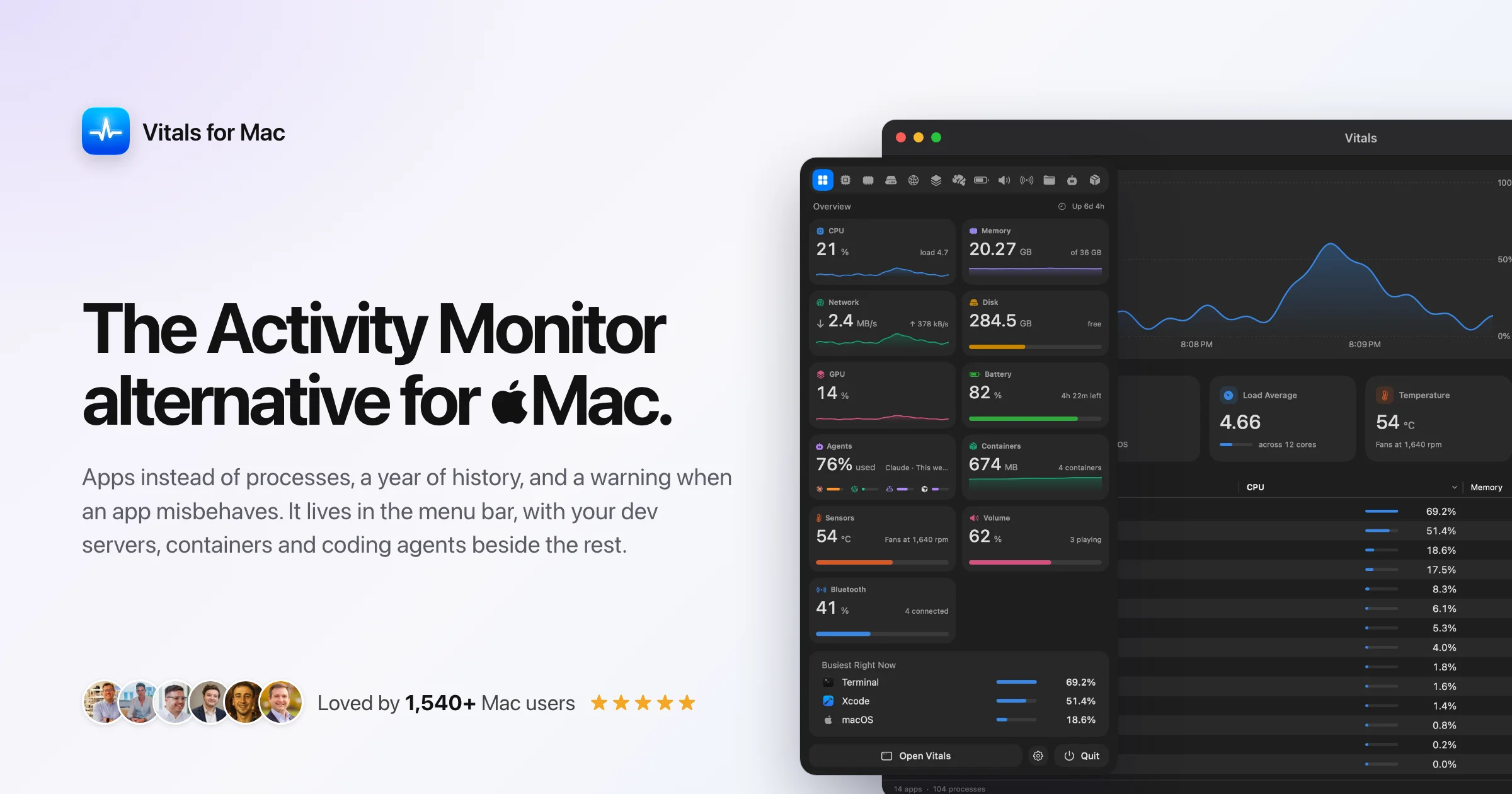
In the menu bar it keeps CPU, memory, disk, network, battery, temperature and fans one click away. For developers, it lists the projects running on your Mac with their ports, and how much is left of each AI plan. It's $9 once, with a 3-day free trial, and needs macOS 15.
Using iStat Menus or Stats? Vitals can replace either. Compare it with other iStat Menus alternatives and Stats alternatives.
2. ClearBar: hide menu bar icons
ClearBar hides the icons you don't need, including the ones stuck behind the notch, and keeps every app in one panel. Click an app there to open its menu, drag it between the visible and hidden rows, or use a keyboard shortcut to show and hide them all.
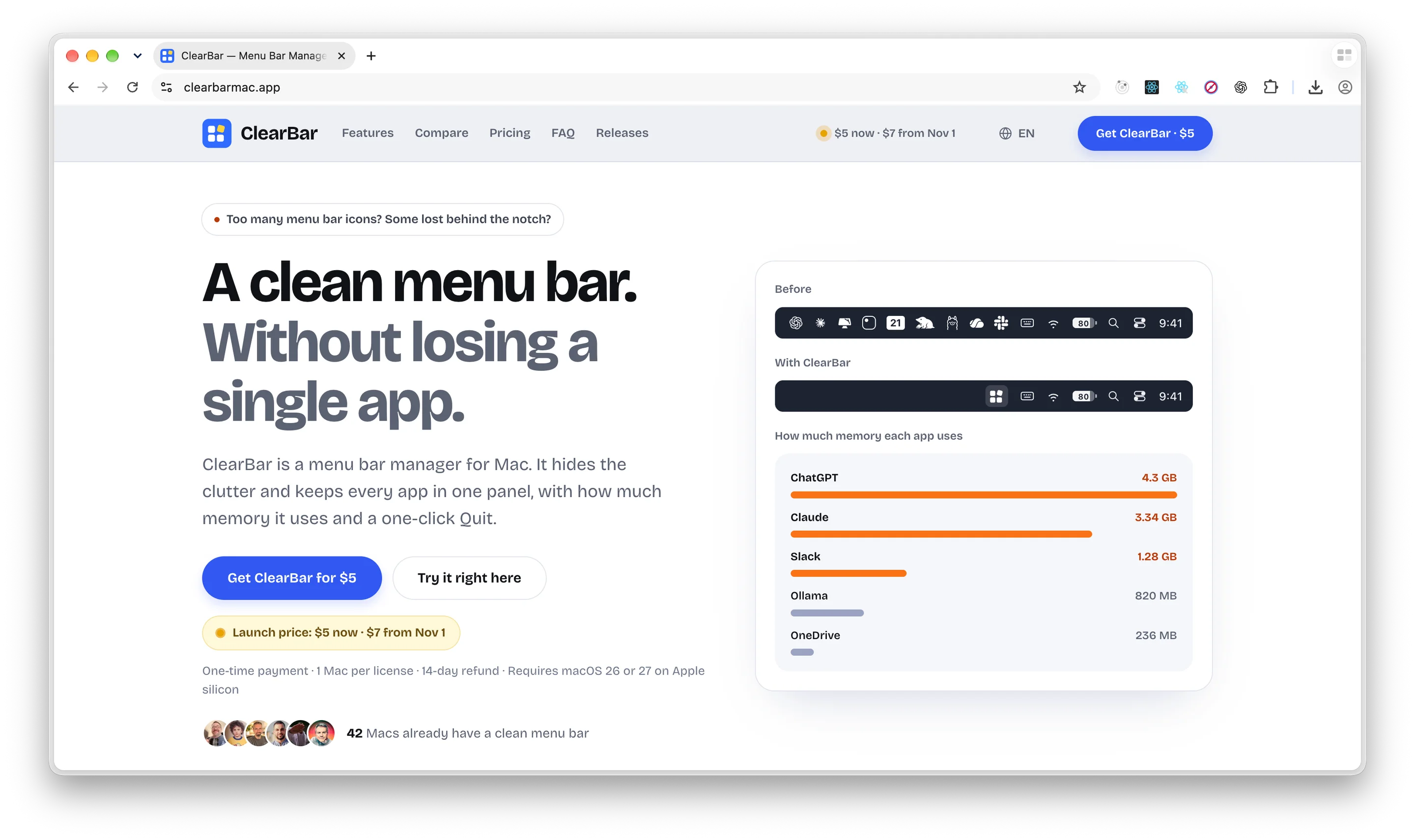
The panel also shows how much memory each app uses and lets you quit or force quit it. It needs only Accessibility permission. It's $7 once, with free updates for all of version 1, and needs macOS 26 Tahoe on an Apple silicon Mac.
Using Bartender or Ice? ClearBar can replace either. Compare it with other Bartender alternatives and Ice alternatives.
3. Levers: Mac settings in one click
Levers puts 60 Mac settings in the menu bar, from Dark Mode, Hide the Notch and Keep Awake to Low Power Mode, Show Hidden Files and the Dock's position. Each switch can have a hotkey and an off timer.
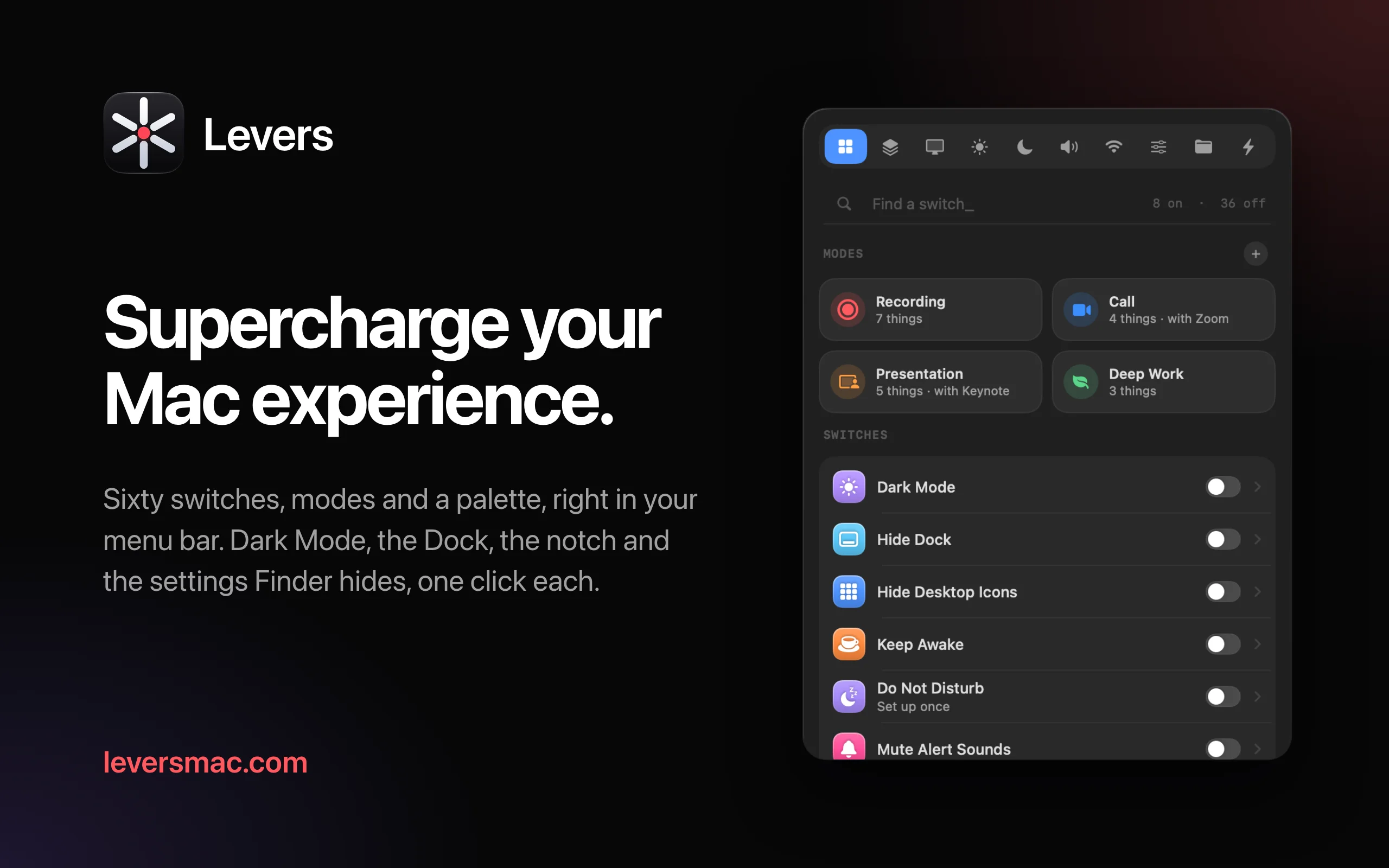
Modes change many switches at once, for a call, a presentation or deep work, and can start on their own when an app opens or you share your screen. Recording Mode hides your desktop files, Dock and menu bar clutter whenever your screen is being recorded. It's $9 once, with a 3-day free trial, and needs macOS 15.
Using One Switch, or Amphetamine to keep your Mac awake? Levers does both jobs. Compare it with other One Switch alternatives and Amphetamine alternatives.
4. Tucket: clipboard history
Tucket keeps everything you copy, sorted by type and searchable from the notch. It handles links, colors, screenshots and code, and can find text inside copied images.
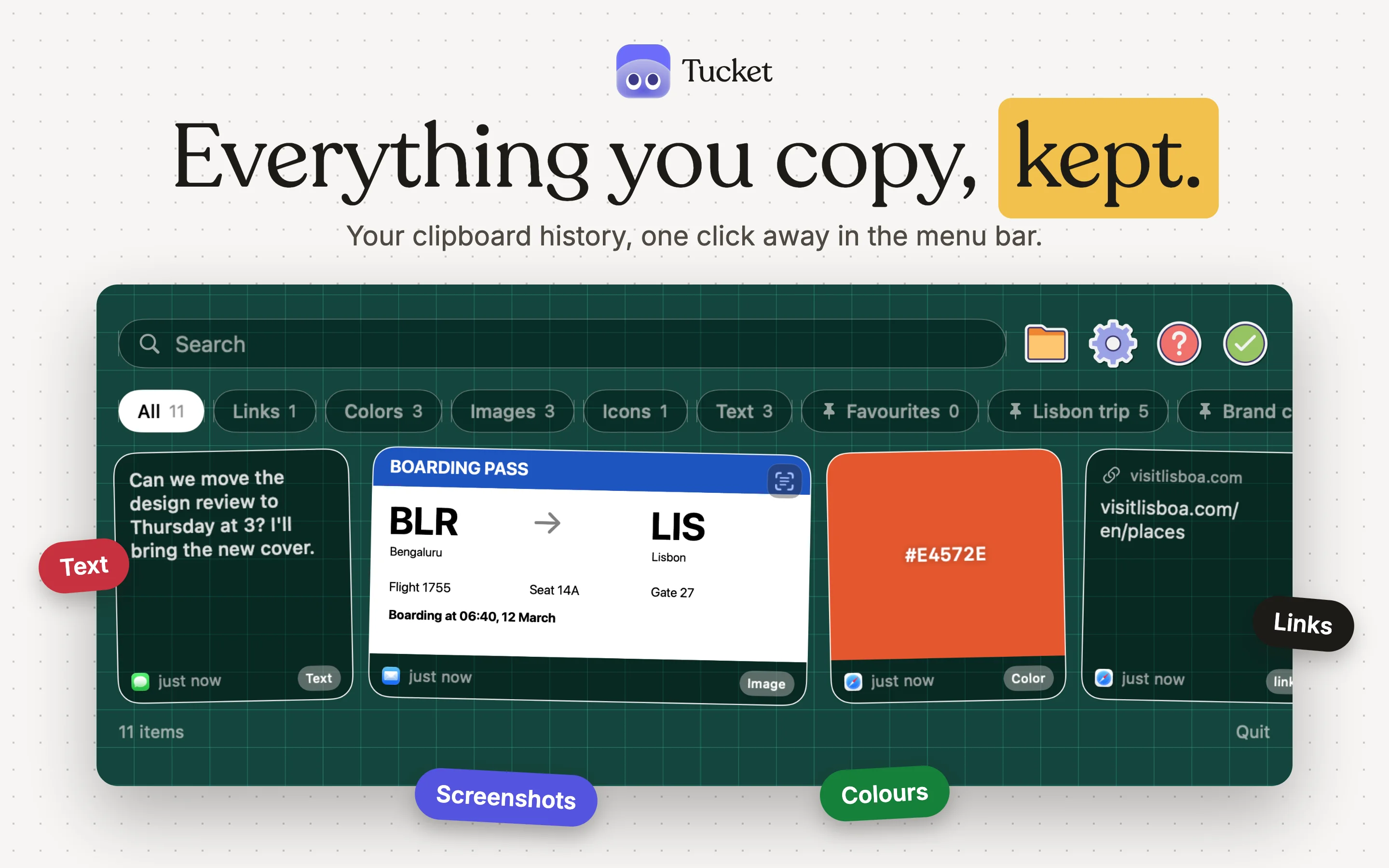
Boards keep related clips together, and it skips passwords and other sensitive things on its own. Nothing is synced to a server. It's $10 and needs macOS 14.
Using Maccy or Paste? Tucket can replace either. Compare it with other Maccy alternatives and Paste alternatives.
5. MacMetra: CPU, memory and heat at a glance
If you just want the numbers, MacMetra is a lighter choice than Vitals. One item in the menu bar shows CPU, memory and the Mac's thermal state, in the order you pick, and a click opens cards for CPU, memory, storage, heat and power.
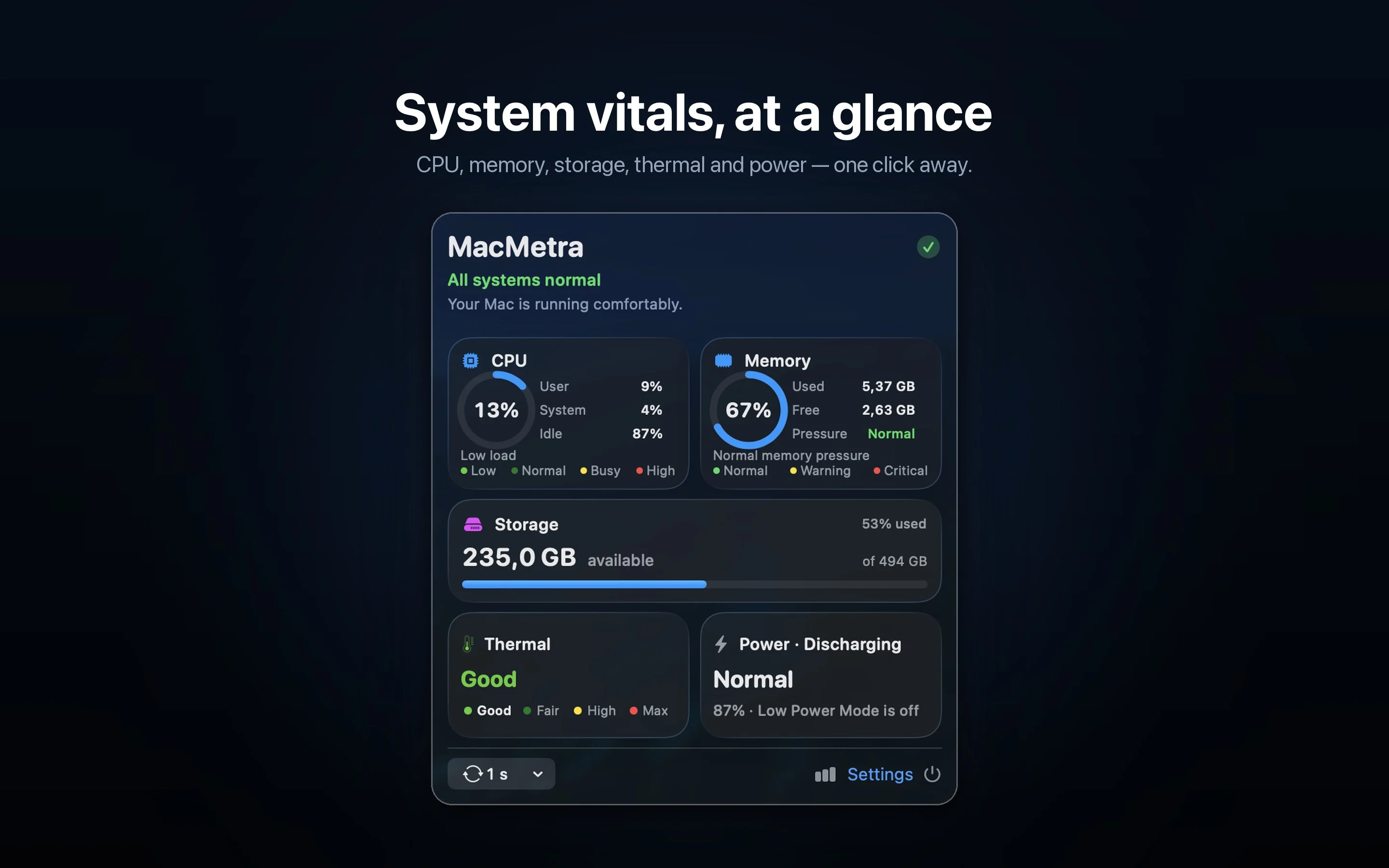
It has no network access, no account and no history. It's $2.99 once after a 7-day free trial, and needs macOS 14.
For alerts when CPU or memory runs high, try StatJack, which is free.
6. Halo: a Dynamic Island for your Mac
Halo turns the notch, or the top edge of any display, into a live strip for notifications, music, calls, meetings, timers and files. Messages from Slack, Mail and Telegram show up in it, and holding Fn lets you dictate into the app you're in.
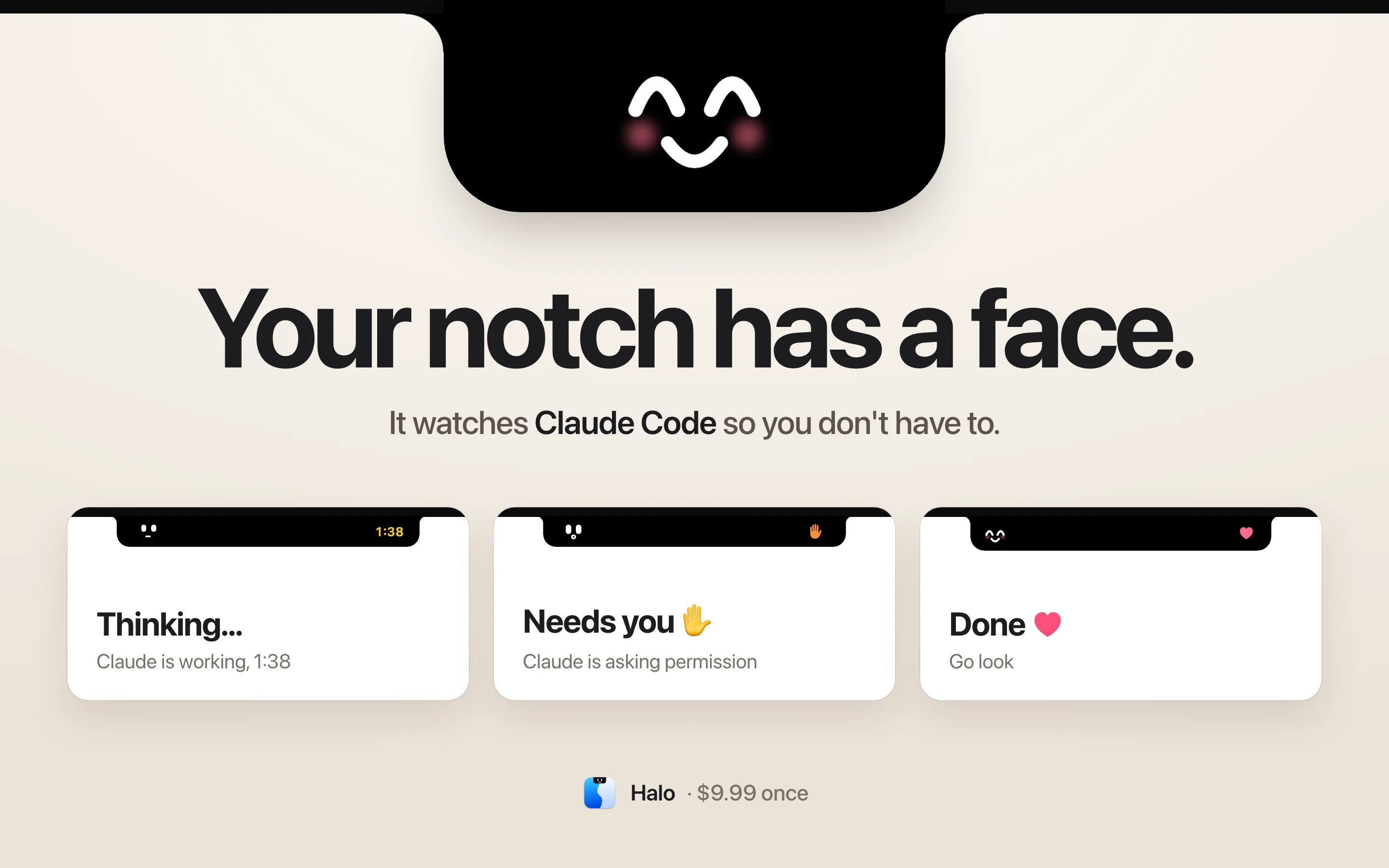
It also shows what Claude Code and Codex are doing, and can set the brightness of an external display. It's $9.99, needs no account, and needs macOS 15.
Using NotchNook or boring.notch? Halo can replace either. Compare it with other NotchNook alternatives and boring.notch alternatives.
7. Cupola: calendar and reminders in the notch
Cupola opens Apple Calendar, Reminders and Notes in a panel when you move the pointer to the notch. Type "call mom tonight" and it becomes an event or a reminder. It also keeps a clipboard history and a Focus timer.
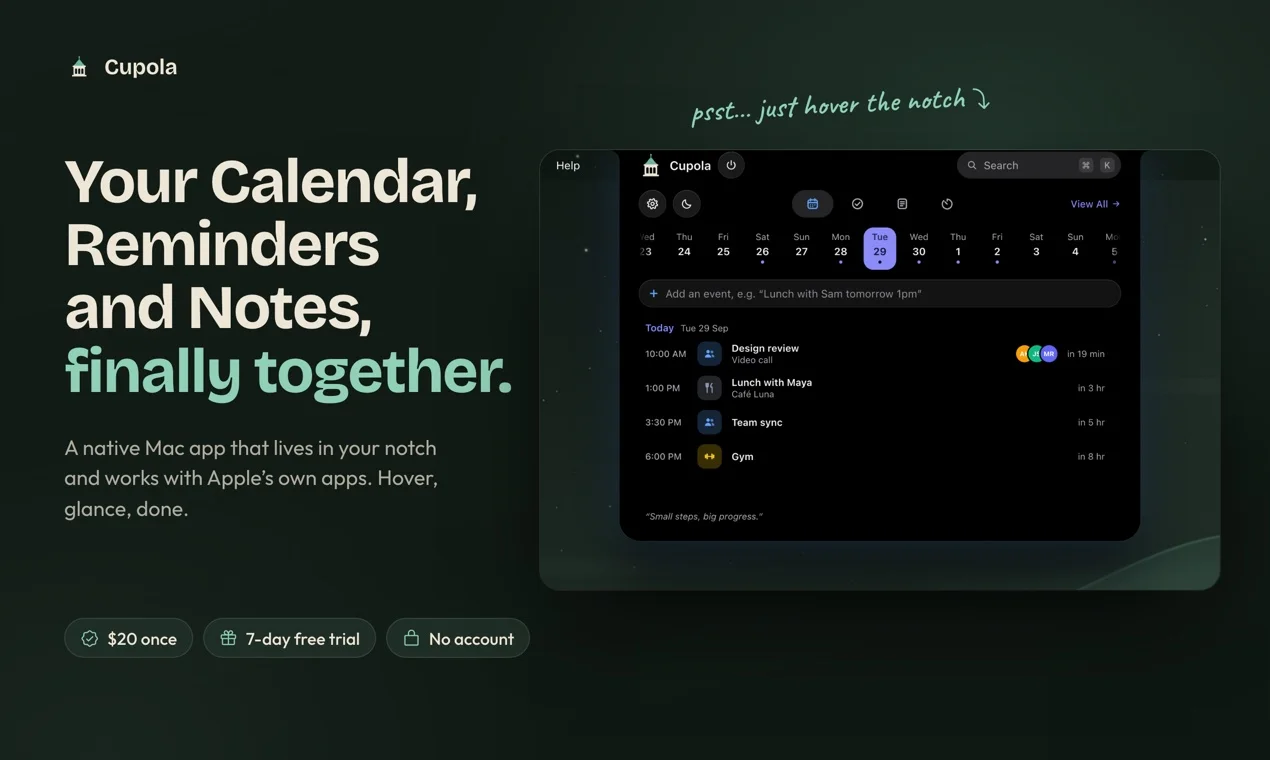
Changes go straight into Apple's own apps, and nothing leaves your Mac. On a Mac without a notch, it shows as a small pill at the top of the screen. It's $20 after a 7-day free trial, and needs macOS 15.
8. SoundRange: volume for each app
macOS has one volume for everything. SoundRange gives every app its own, from the menu bar, so the music can stay up while a call stays quiet. Live meters show which app is making sound, and it adds volume control to HDMI and DisplayPort displays that have none.
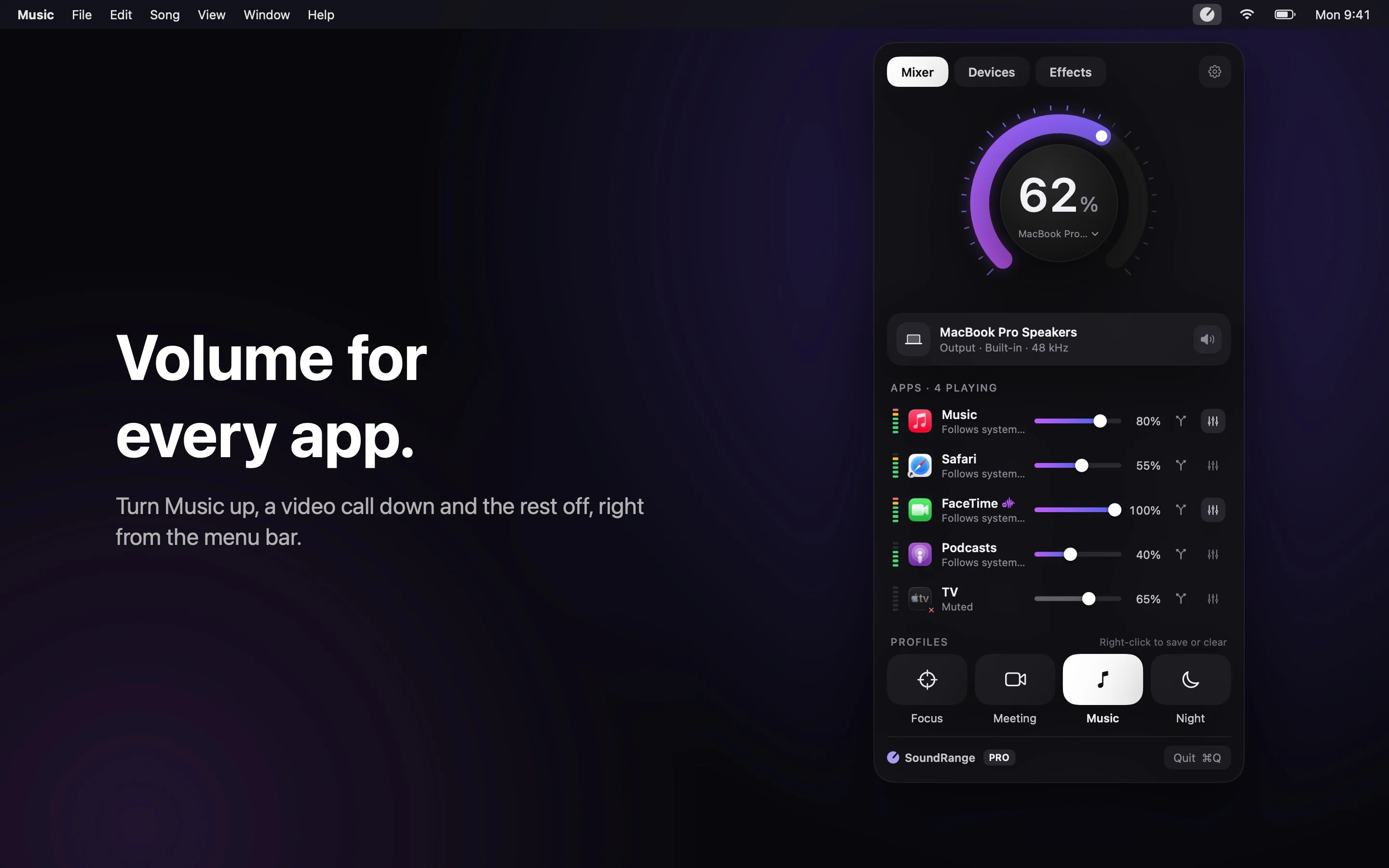
The free version covers volume, mute and balance for each app, and switching outputs. Pro, a one-time purchase with a 14-day free trial, adds a separate output for each app, an equalizer for each app and noise removal on calls. It needs macOS 15.
Using SoundSource? SoundRange can replace it. Compare it with other SoundSource alternatives, like BetterAudio, which also has a free plan.
9. TopStart: run Shortcuts from the menu bar
If you use the Shortcuts app, TopStart puts your favorite shortcuts in the menu bar, to run with a click or a hotkey. Type to find one, group them, run them on a schedule, or run a whole set at once.
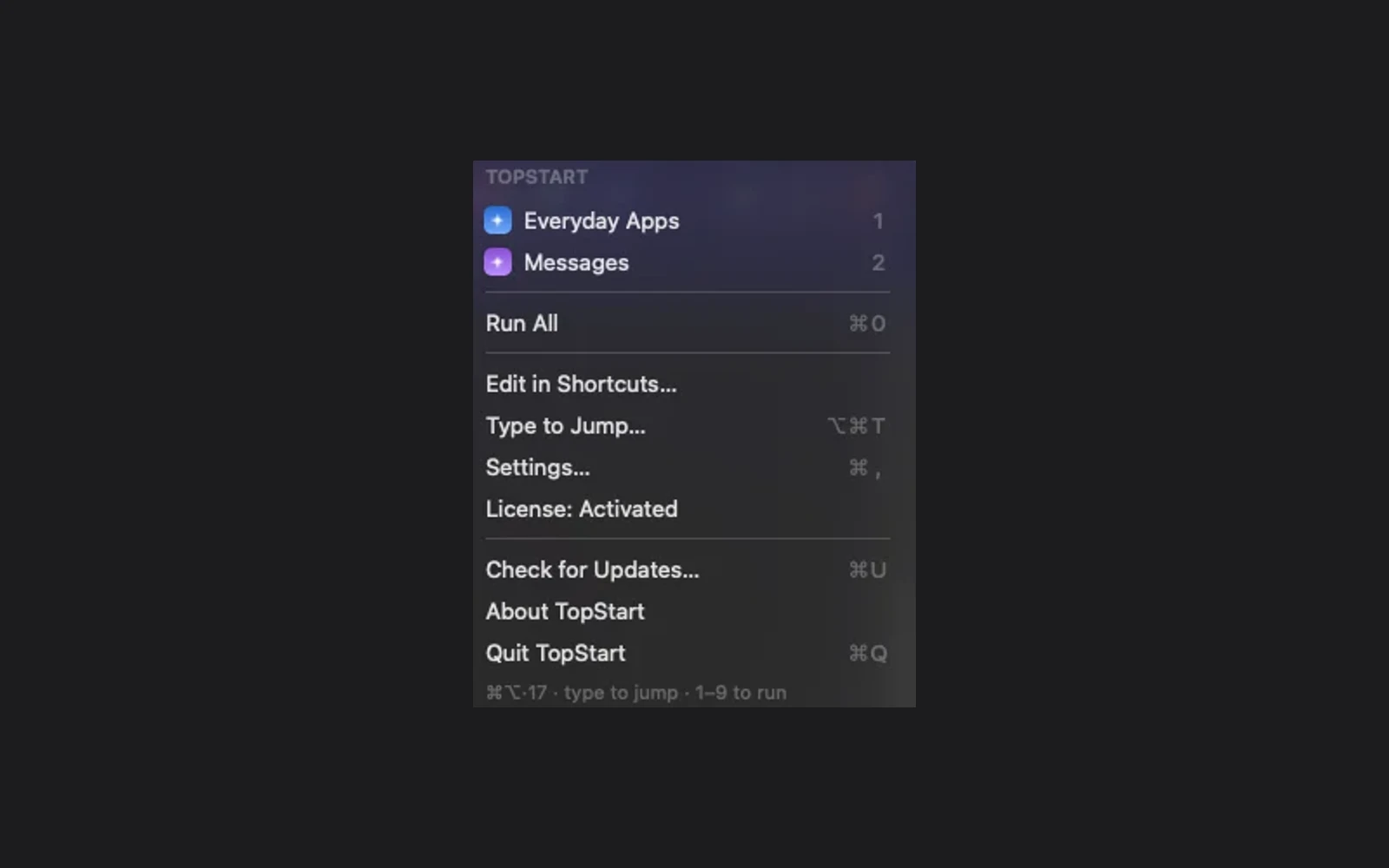
It has no Dock icon, no account and no tracking. It's $4.99 and needs macOS 14 on an Apple silicon Mac.
10. Devly: developer tools
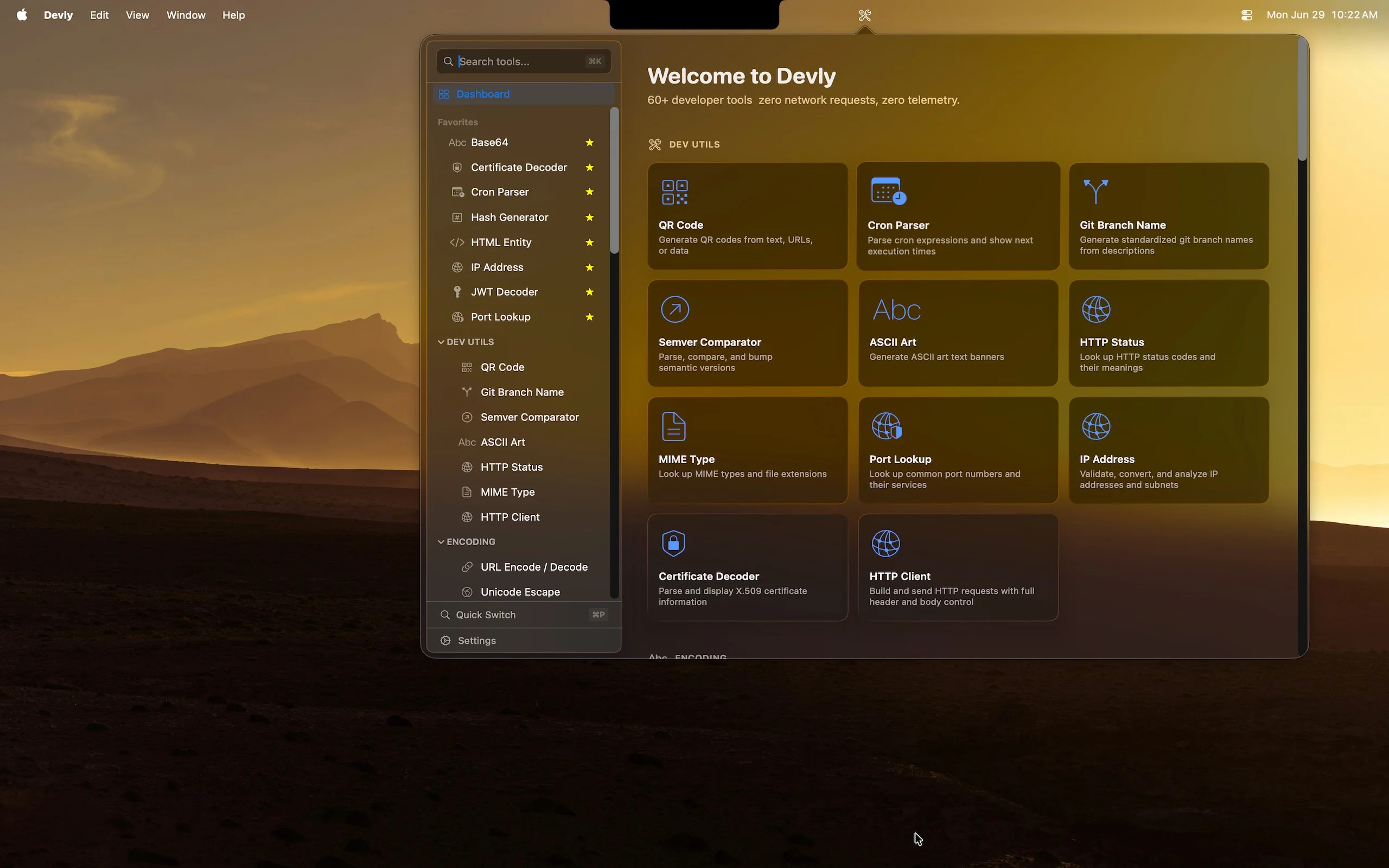
Devly keeps more than 60 developer tools in the menu bar: encoding, hashing, formatting, JSON, JWTs, UUIDs, QR codes and more, a click or a hotkey away, so you don't paste work into a website. It's $4.99 and needs macOS 13.
For the local servers on your Mac, Portlivo lists them in the menu bar and lets you open, restart or stop each one.
11. AgentKnocks: know when a coding agent needs you
If you run several Claude Code or Codex sessions at once, AgentKnocks tells you which one is waiting for you. When an agent stops for approval, finishes or fails, you get one notification with the agent, the project and the reason.
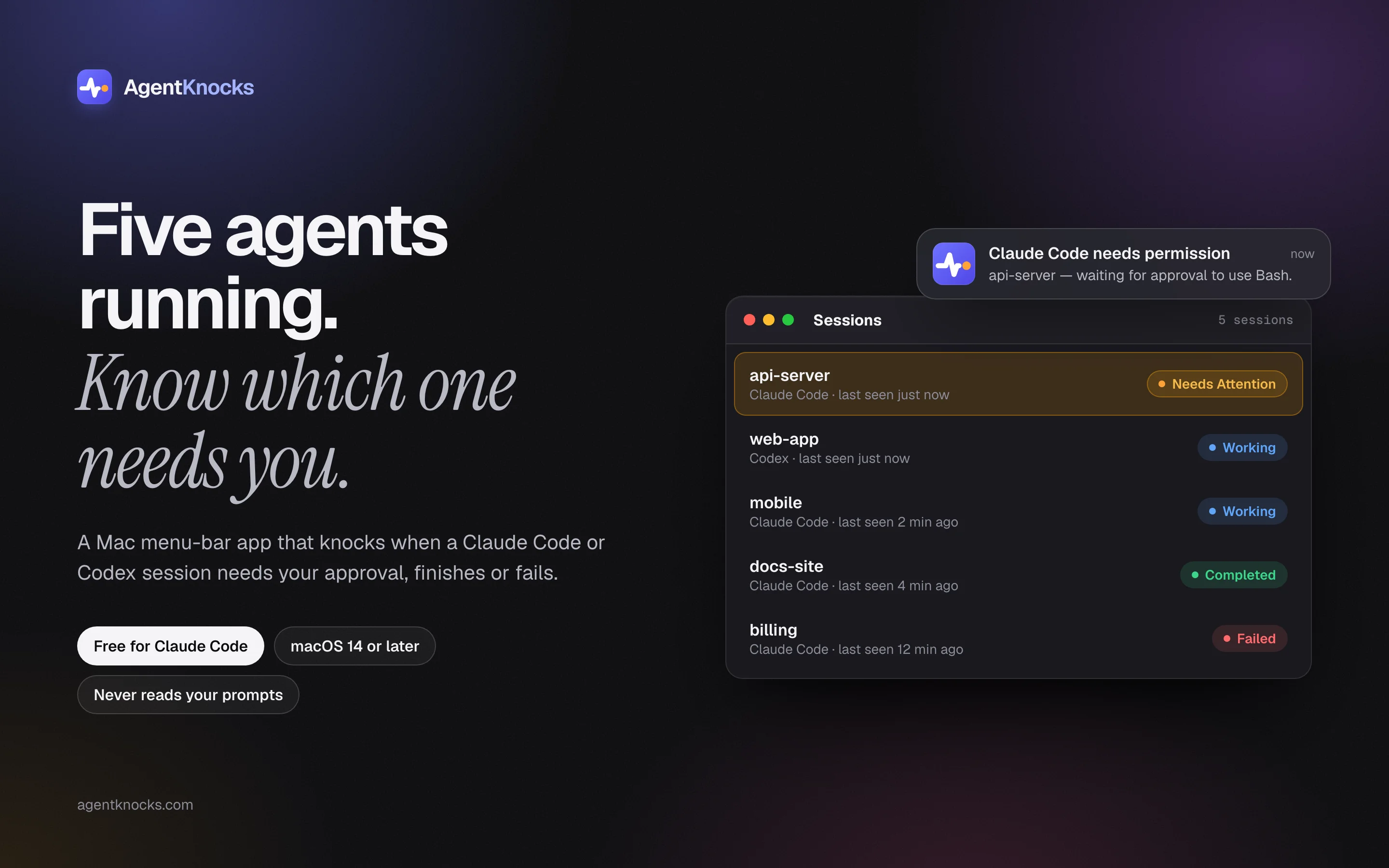
It lists every session in the menu bar, and ⌃⌥K takes you to the one that has waited longest. It never reads your prompts or code. It's free, with a paid Pro, and needs macOS 14.
To see how much of your plan's limits are left and when they reset, Quotchi and Codex Monitor show it in the menu bar.
12. Pulse: stocks and your portfolio
Pulse keeps prices for stocks, crypto, metals, indices and ETFs in the menu bar, with watchlists, charts and your daily and total gains and losses. It covers markets in the US and across Asia.
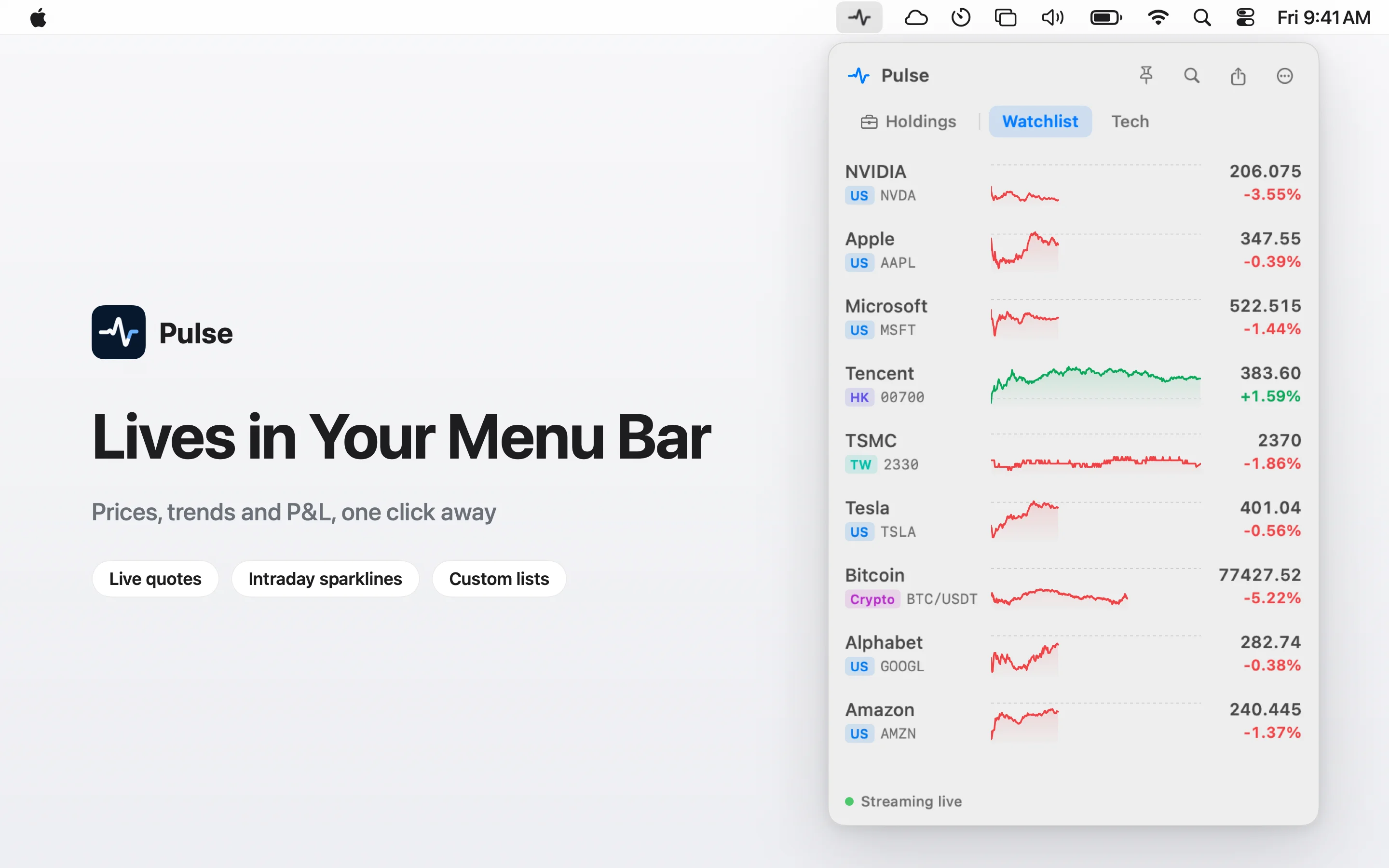
It tracks prices but doesn't trade, and your watchlists and positions stay on your Mac. It's $19.99 after a 30-day free trial, and needs macOS 14.
13. RadioStation: live radio
RadioStation plays live radio from your country and around the world, from the menu bar. You can pause and rewind up to 30 minutes, keep your favorites on a dial and search by genre, country, language or mood.
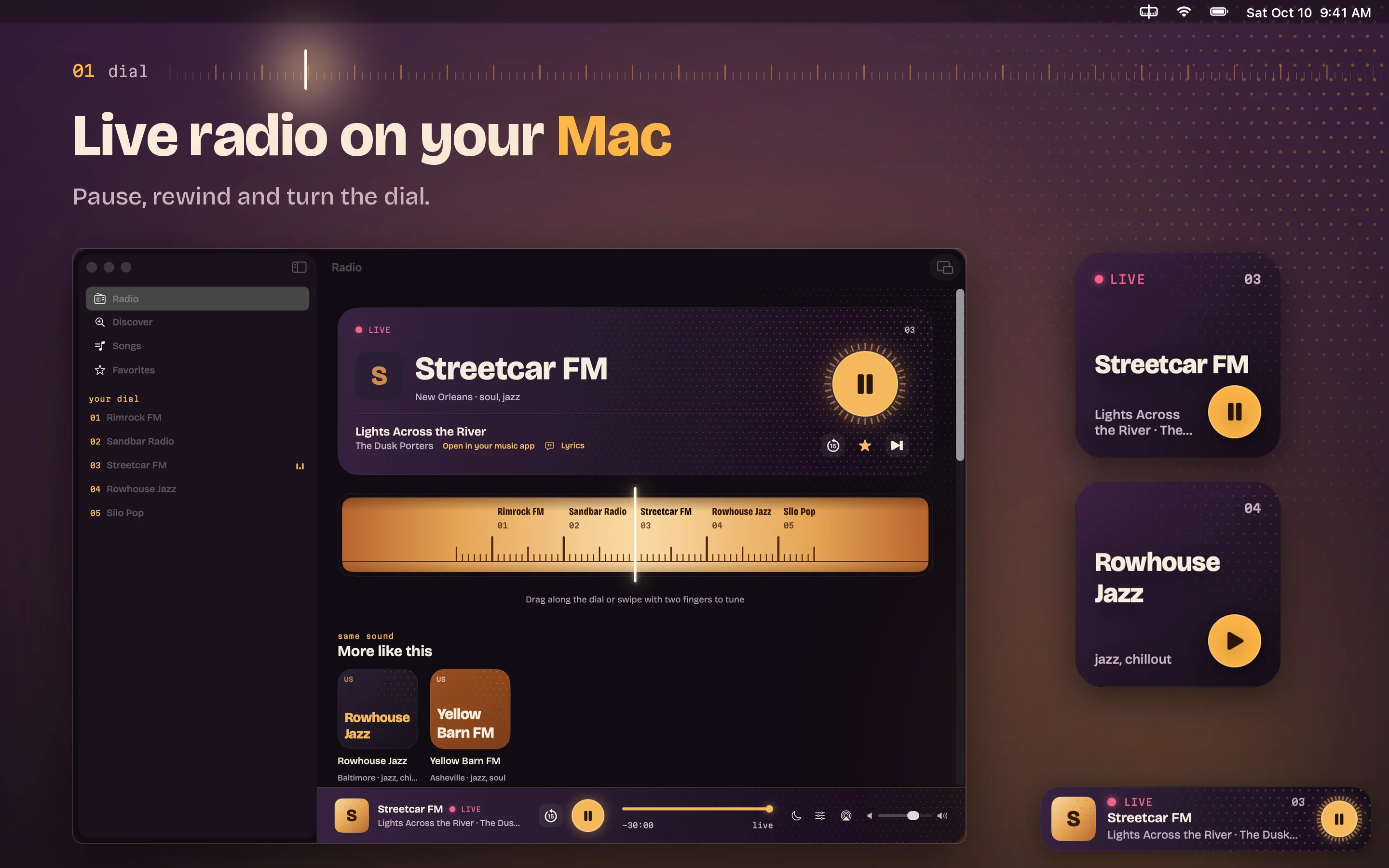
It's free, with no account, and one download covers your Mac, iPhone, iPad, Apple Watch and Apple TV. It needs macOS 15. In the US App Store it's called FMStation.
14. Don't Touch: an alarm for your laptop
Leaving your MacBook on a café table for a minute? Arm Don't Touch from the menu bar. If someone touches the keyboard or trackpad, moves the Mac, closes the lid or unplugs the charger, it sounds a siren at full volume until you type your PIN.
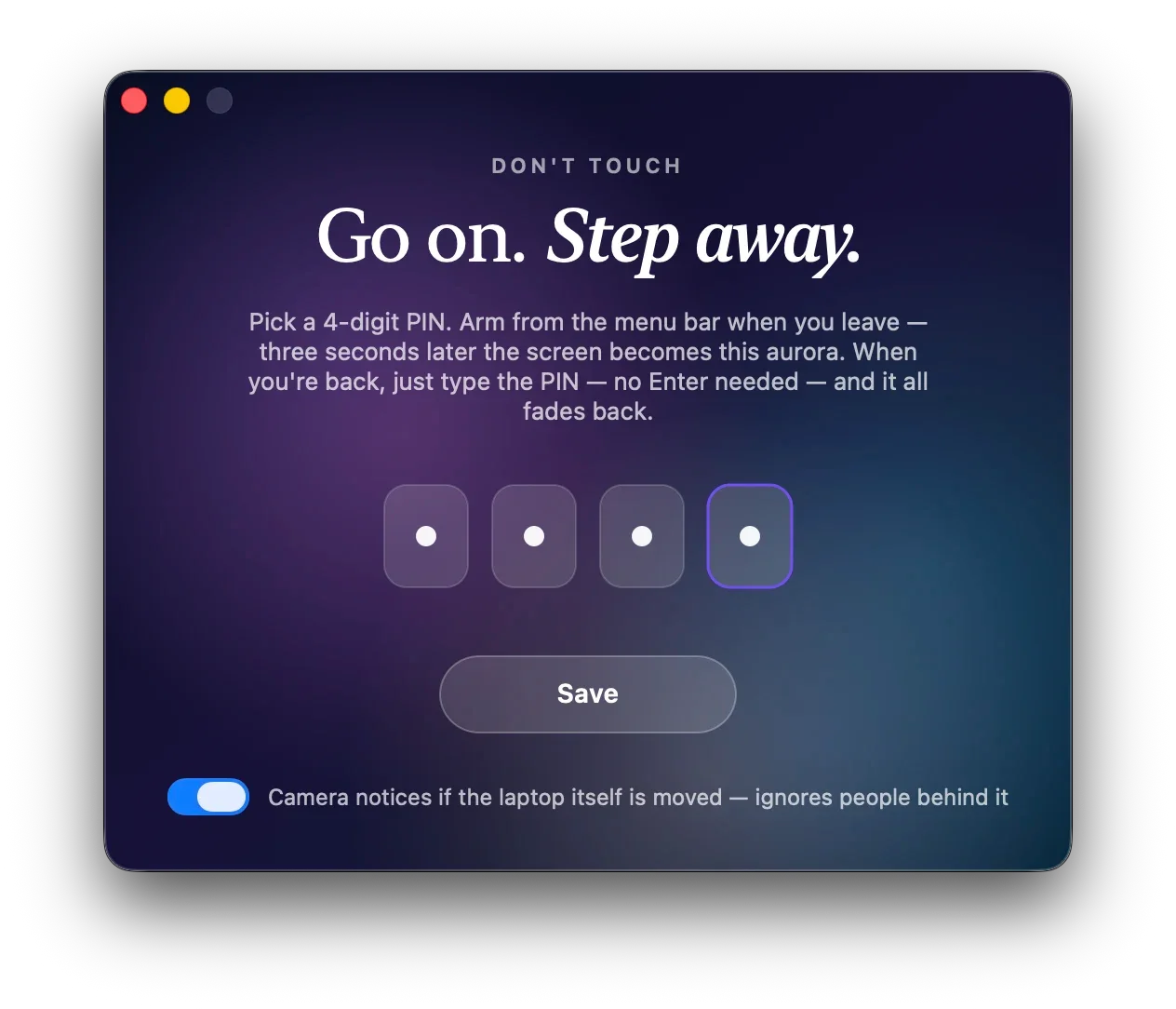
It's $5 once, for all your Macs, and needs macOS 13.
15. Dormouse: find out why your MacBook woke at night
If your MacBook loses battery while it's closed, Dormouse tells you why. It reads the Mac's power logs and, each morning, shows how often it woke, what woke it, how much battery went and which app may have kept it awake.
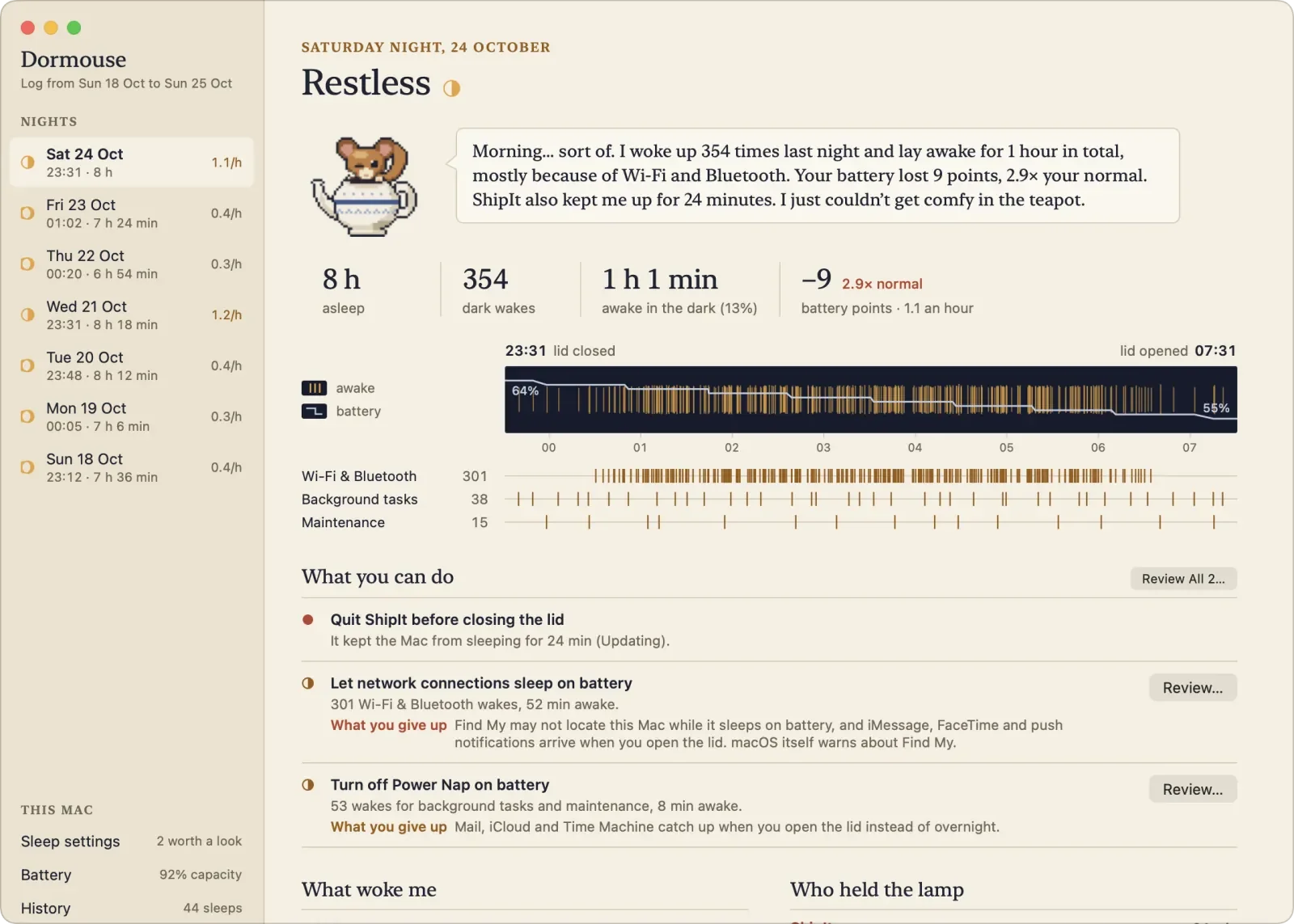
It can suggest a fix, shows you the exact command first and lets you undo it. It's $4.99 after a 14-day free trial, and needs macOS 14.
How to keep your menu bar tidy
- Keep what you use every day. If you open something once a week, it can live in the Dock or Spotlight.
- Put one manager in charge. Hide the rest with ClearBar, or switch them off in System Settings > Menu Bar.
- Use the notch on purpose. On a MacBook with a notch, a notch app like Halo or Cupola uses the space the icons can't.
- Prefer paying once. Most apps here are one-time purchases, which cost less over time than a stack of subscriptions.
Frequently asked questions
How do I hide menu bar icons on a Mac without an app?
On macOS 26 Tahoe, open System Settings > Menu Bar and turn off apps under Allow in the Menu Bar. Turn off Apple's items, like Wi-Fi or Battery, under Menu Bar Controls. Hold Command and drag to move an icon. To hide icons but get them back with a click, you need a menu bar manager like ClearBar.
Why do menu bar icons disappear behind the notch?
The menu bar on a MacBook with a notch has less room, and macOS doesn't make more. Icons that don't fit are hidden behind the notch, and macOS doesn't show you a list of them. Turn off the ones you don't need, or use a menu bar manager to move the rest into a hidden row.
Are there free menu bar apps for Mac?
Yes. In this list, RadioStation and StatJack are free, and SoundRange and AgentKnocks are free with paid extras.
Do menu bar apps slow down a Mac?
A well-made one uses very little, since it mostly waits for a click. Apps that check something often, like stats or stock prices, do some work in the background. If your Mac feels slow, Vitals shows you which app is using the most.
What's the difference between a menu bar app and a notch app?
A menu bar app puts an icon on the right of the menu bar and opens a small panel when you click it. A notch app uses the space around the notch on a MacBook, often opening when you move the pointer there, like an iPhone's Dynamic Island. Most notch apps also work on Macs without a notch, at the top of the screen.
See every app in Menu Bar & Notch, with its price and the macOS it needs. If you've made one, list it for free.
Written by
I build cool Mac apps. Founder, MacBase.